 12Focus
How to block social media
On iPhone, open Settings → Screen Time → Time Allowances and give the Social Media category a daily budget. On Android, open Settings → Digital Wellbeing and set an App timer for each social app, or pause them all at once with Focus mode.
Both take about ten minutes and nothing to download. The harder part is keeping the block on at 11 pm, so the last part of this page is about that.
Updated · iOS 27 and Android menus
How do you block social media on iPhone?
You open the phone to answer one message, and the feed takes the next half hour. A Time Allowance gives those apps a daily budget; when it’s spent, iOS blocks them for the rest of the day unless you allow more time.
- Open Settings → Screen Time. If iOS asks, tap Turn on App and Website Activity.
- Tap Time Allowances, then Manage Categories.
- Tap + and choose Social Media, or Custom to pick single apps, say Instagram and TikTok.
- Go back, tap the new category and drag it to the minutes you allow each day.
On iOS 26 or earlier: Settings → Screen Time → App Limits → Add Limit. Pick the apps or a category, tap Next, set the time, then Add. Apple’s new tools need version 27 on every Apple device on your account. Every tap, with closed hours for study: lock apps on iPhone.
How do you block social media on Android?
Android limits social apps one at a time with App timers, or all together with Focus mode.
- Open Settings → Digital Wellbeing & parental controls → App timers. On some phones it’s just Digital Wellbeing.
- Next to each social app, tap Set timer, choose the time and tap OK. On Samsung, tap the hourglass.
- To pause them all at once instead, tap Focus mode, select the apps, and tap Turn on now or Set a schedule.
An App timer counts the app, not the website. If you’d open instagram.com in Chrome instead, give the site its own limit: in Digital Wellbeing, tap the chart and choose Chrome, tap Show sites, then Set site timer next to it (Google’s Digital Wellbeing help). Every tap, with Samsung menus: lock apps on Android.
Should you block social media or limit it?
Start from the moment you lose, not from the app.
- You lose the first hour of the morning: close the apps until your first piece of work is done, say until 10:00. That’s a Screen Time Schedule on iPhone (Downtime on iOS 26 and earlier), or a Focus mode schedule on Android.
- One video turns into the evening: give the apps a daily allowance, a Time Allowance or App timers, so the evening ends where the minutes do.
- You need a week with no feed at all, for exams or a launch: turn on Focus mode, or delete the apps for the week. Deleting an app doesn’t delete your account.
A full ban is easy to start and easy to drop the first time a friend sends a link. An allowance leaves the apps where they are and only caps the time, so one link doesn’t end it.
How do you stop yourself from unblocking it?
Every block above has an off switch, and you know where it is. Give the key to someone else.
- iPhone: Settings → Screen Time → Manage Screen Time → Lock Screen Time Settings, and hand the phone over for the code. Apple’s passcode guards changes to the settings and extra time when a limit runs out (Apple Support).
- Android: on phones that have it, Settings → Digital Wellbeing → App limits → App limits PIN puts a four-digit PIN on your app time limits; let someone else type it (Google’s help). Without it, an App timer goes away when you delete it, and Focus mode offers Take a break, so telling someone the rule is the lock.
Can you type my Screen Time code? Social media gets 30 minutes a day, and nothing before 10.
Done. I’m not telling you it, whatever you text me at 11 pm.
What rules should you set for social media?
Four lines: the apps, the minutes, the closed hours, and who holds the code. Send them to that person, so they know what they’re guarding. What you type stays in your browser.
Is there an app that limits social media?
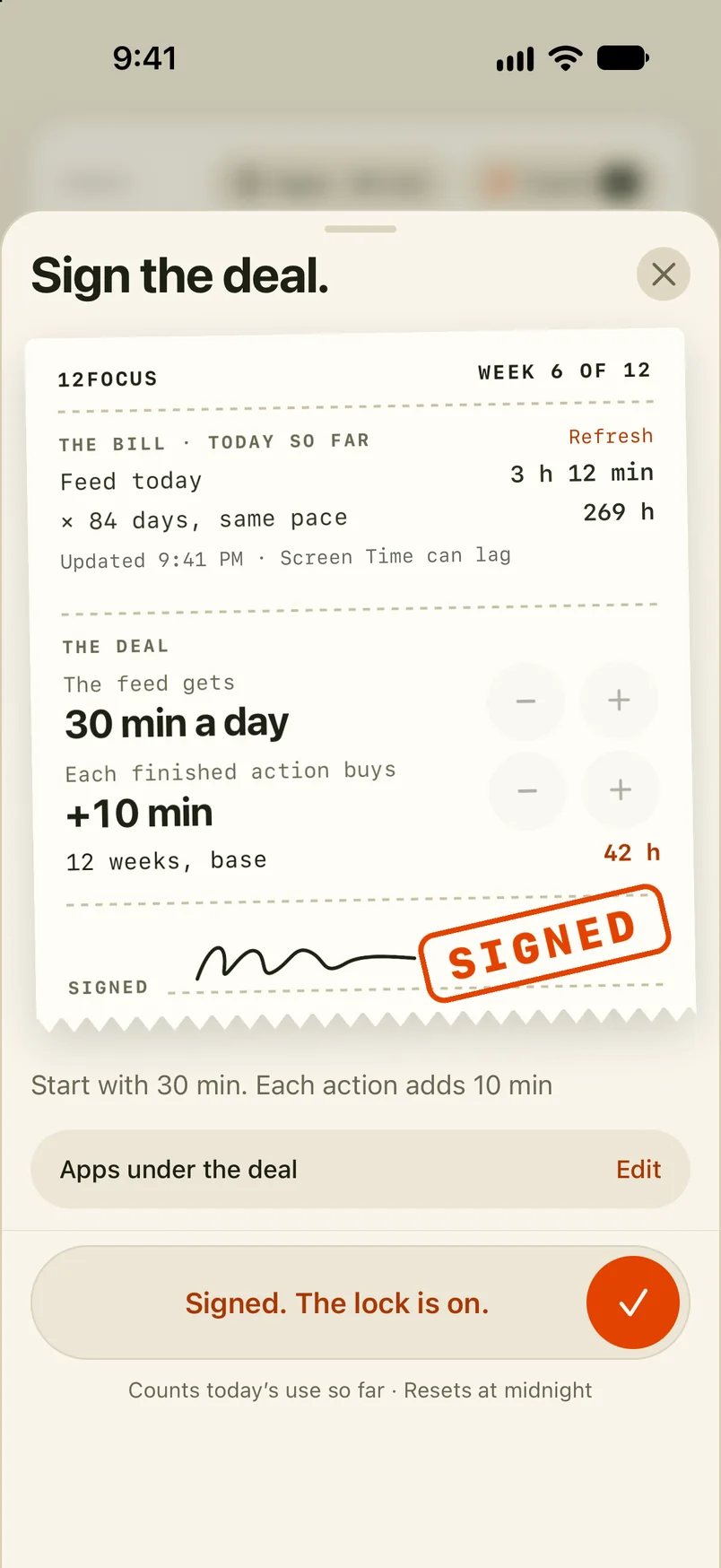
Plenty, and the tools above are free. What a limit doesn’t do is say what the hour is for. 12Focus gives the apps you choose a daily allowance; when it runs out, they pause until midnight, and every planned action you finish adds minutes. The actions come from up to three goals, planned in 12-week cycles.
The numbers in the picture are an example: 30 minutes a day, 10 more for each finished action. On iPhone it works through Apple’s Screen Time. On Android it blocks the apps you select (not categories or websites) and needs Usage Access and Accessibility permission. More on the social media app limit.
Apps today min
What people ask before they block
Can I block social media without downloading an app?
Yes. iPhone has Screen Time: Time Allowances on iOS 27, App Limits on iOS 26 and earlier. Android has Digital Wellbeing, with App timers and Focus mode.
How do I block all social media apps at once?
On iPhone, give the Social Media category one Time Allowance, and all the apps in it share that daily budget. On Android, Focus mode pauses every app you select at the same time.
Can I block Instagram or TikTok in Chrome too?
On Android, yes. An App timer limits the app, and the website gets a timer of its own: Settings → Digital Wellbeing, tap the chart and choose Chrome, tap Show sites, then Set site timer next to the site.
How do I block social media only at certain times?
On iPhone, use a Screen Time Schedule (Downtime on iOS 26 and earlier) to close the apps during the hours you choose. On Android, open Focus mode and tap Set a schedule.
What happens when my social media time runs out?
On iPhone, the apps are blocked for the rest of the day unless you allow more time, and with Screen Time settings locked, more time needs the passcode. On Android, the app closes, its icon dims, and App timers reset at midnight.
How do I stop myself from turning the block off?
On iPhone, lock Screen Time settings with a passcode someone else types; Apple’s passcode also guards extra time when a limit runs out. On Android phones that have it, turn on App limits PIN (Settings → Digital Wellbeing → App limits) and let someone else type the PIN. Without it, tell someone the rule and let them ask about it.
Cap the feed, keep your evening
12Focus gives the apps you choose a daily allowance and adds minutes for every planned action you finish, on iPhone and on Android.