 12Focus
A focus app for the iPhone Duo
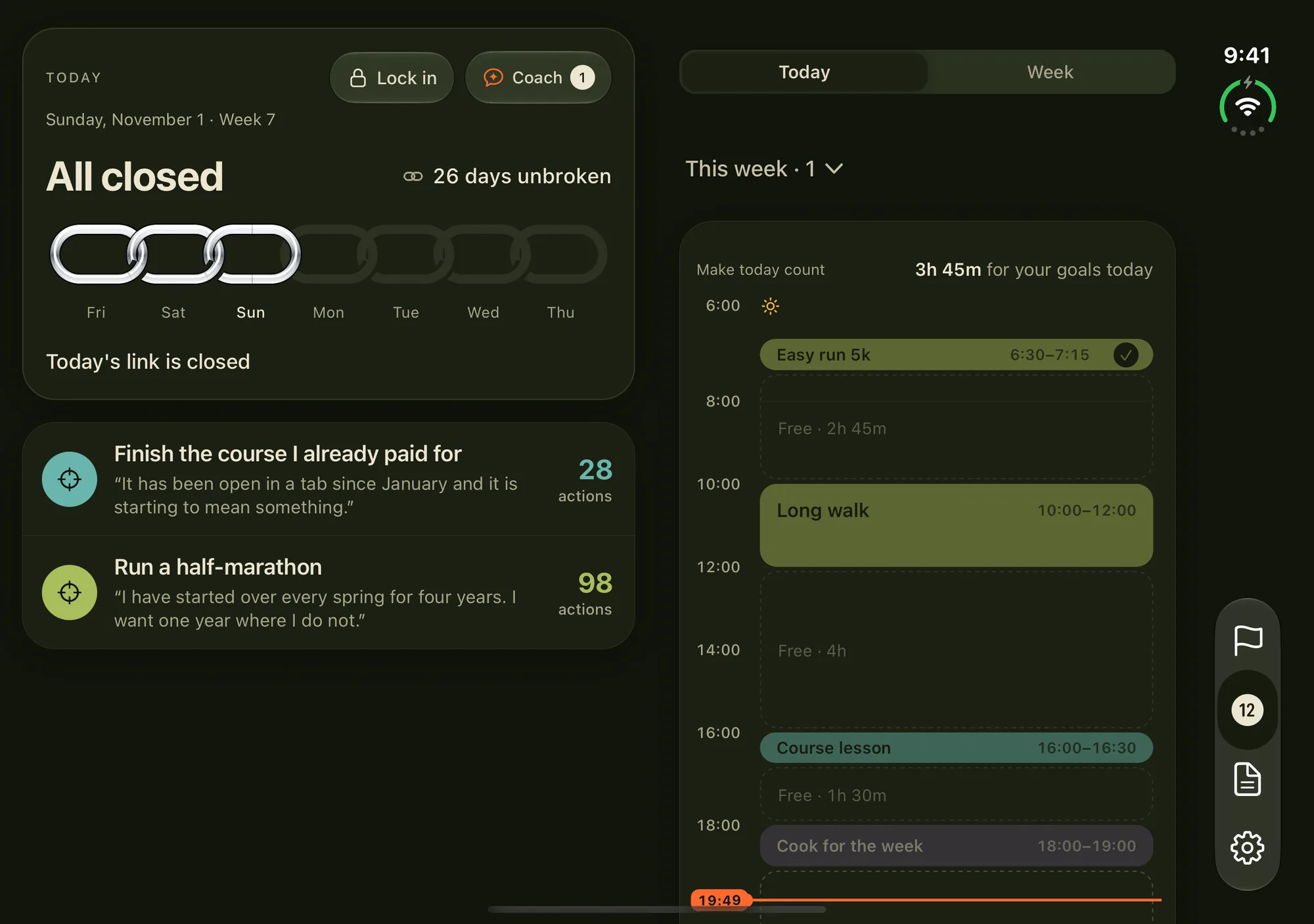
You open the iPhone Duo to answer one message, and 7.6 inches of feed opens with it. 12Focus gives the open Duo two pages instead: your goals and why you started on the left, your day, hour by hour, on the right.
Fold it shut and the same plan comes back in one column, where you left it.
Updated
Why does the Duo pull you in?
Because it makes the feed look better than ever. The inner display is 7.6 inches, 50 percent larger than iPhone 18 Pro Max, and Split View puts two apps side by side on an iPhone for the first time (Apple). Netflix, Prime Video and Instagram were among the first apps named as optimized for it (MacRumors).
So you open it to answer one message, a video starts in the other half, and the message waits. The goal you meant to work on tonight isn’t on either side.
What does 12Focus look like open?
Two pages, one on each side of the fold, and each scrolls on its own. The left page keeps your chain of days and your goals, each with the reason you wrote for it and the actions you have finished this cycle; tap a goal to open it. The right page holds the plan: today hour by hour, or the whole week.
Switch from Today to Week and both sides move together: the count on the left turns to the week while the right page fills with the week’s actions. Your goals stay in view the whole time you plan.
Two pages need at least 700 points of width, which the open Duo has in landscape. Held in portrait, Focus keeps one column.
What happens when you fold it?
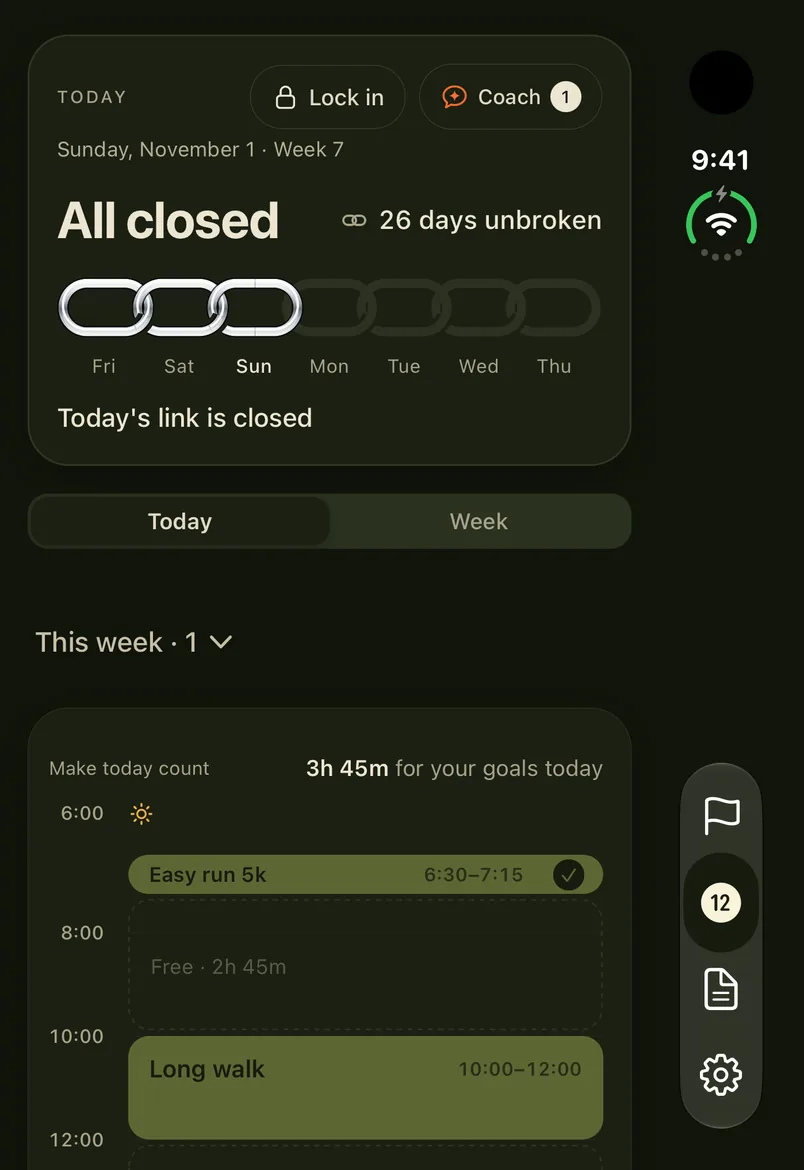
The same screen comes back in one column. You stay on the view you had open, Today or Week, and an action you were typing is still in its form.
On the Duo, the tab bar becomes a rail at the side (Apple says the Dock and app navigation move there to free vertical space). 12Focus keeps its rows clear of that rail, and of the camera and status column on the 5.4-inch outer display, so no tick hides under a tab.
Is an app optimized for the Duo?
Open it on the inner display and look at the edges. 9to5Mac describes three cases: an app built for iOS 26 sits in a centred window with black around it; one built for iOS 27.0 uses more of the display but leaves blank space; one made for iOS 27.1 takes the whole display.
Filling the display is only the start. A phone layout stretched across 7.6 inches is still a phone layout, with one long column and empty space either side of it. 12Focus is built for iOS 27.1 and draws its own layout for the open Duo: Focus as two pages, and Goals, Reviews, Settings and the first setup in a centred column no wider than 600 points, so a line of text never runs across the fold.
Apple named more than 50 apps optimized or on the way, from Netflix, Zoom and Slack to Things, Fantastical and Bear (MacRumors).
How do you limit apps on the Duo?
With Screen Time, as on any iPhone: the Duo ships with iOS 27.1 (Apple).
- Open Settings, then Screen Time.
- Tap Time Allowances, then Manage Categories, then the add button, and choose Social Media, Entertainment, Games or Custom.
- Back in Time Allowances, tap the category and set how long it may be used each day.
- Tap Screen Time Schedule, turn on Schedule, and set the hours the apps close.
- Tap Manage Screen Time, then Lock Screen Time Settings, and let someone else type the passcode.
Time Allowances need version 27 on every Apple device on your account; until then, use App Limits and Downtime. A Focus only silences notifications, so the apps still open. The full walk-through is in how to lock apps on iPhone.
Can 12Focus lock apps on the Duo?
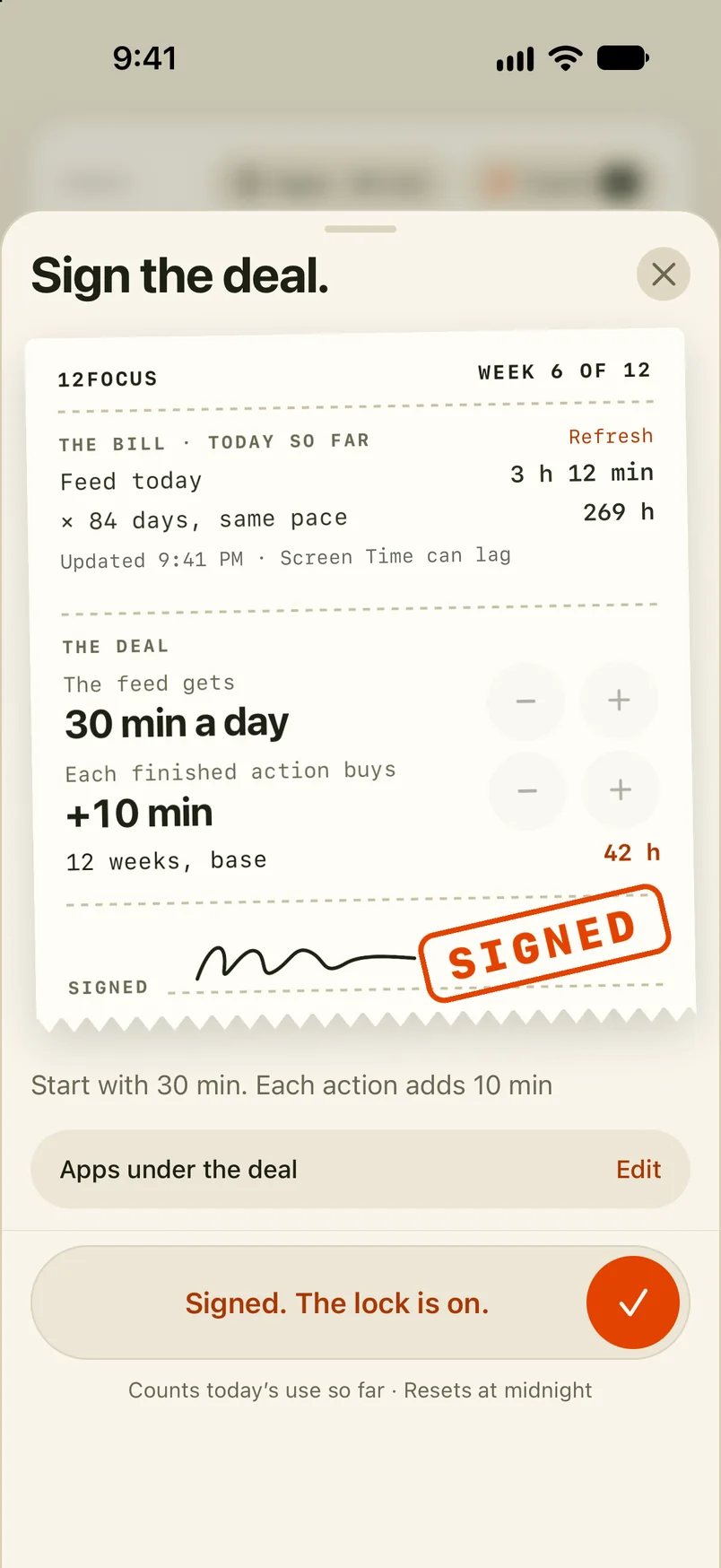
Yes, on both displays, the same way it does on any iPhone. You give the apps you choose a daily allowance; each planned action you finish adds minutes. When the allowance runs out, those apps pause until midnight.
You set it up once in the app and give it Screen Time access. After that, the feed gets its minutes after the plan, whichever side of the fold it opens on.
What people ask about the Duo
Does 12Focus work on the iPhone Duo?
Yes, on both displays. Open in landscape, Focus becomes two pages. Folded, it is one column on the 5.4-inch outer display, clear of the tab rail at the side.
Why does Focus show one column on my open Duo?
Two pages need at least 700 points of width. The open Duo has that in landscape, with the fold down the middle. Turned to portrait, Focus keeps one column.
Do I lose what I was typing when I fold the Duo?
No. Folding keeps the view you had open and any form you were filling in, including an action you were halfway through typing.
Which apps were optimized for the iPhone Duo first?
Apple named more than 50 third-party apps that were or would soon be optimized, among them Netflix, Prime Video, Zoom, Slack, Lyft, Things, Fantastical, Bear, Flighty and Airmail. Microsoft Word and Outlook were due in the following weeks (MacRumors, October 22, 2026).
Does a Focus block apps on the iPhone Duo?
No. A Focus silences notifications from the apps you choose, but you can still open them. Pair it with a Screen Time Schedule, or a daily allowance in 12Focus, if you want the apps closed.
Open the Duo to your plan
12Focus holds up to three goals for a 12-week cycle, turns each week into a few actions, and on the open Duo keeps both in view.