 12Focus
Lock apps on Android while you study
Open Settings → Digital Wellbeing → Focus mode and pause the apps that pull you away for your study hours.
App timers cap one app for the day, and App pinning keeps the phone in a single app. Samsung menus differ a little; both are below.
Updated · Pixel and Samsung menus
Pause the apps with Focus mode
Focus mode pauses the apps you pick: they can’t be opened and their notifications stay quiet until you turn it off. Drag through the four taps.
- Open Settings → Digital Wellbeing & parental controls. On some phones it is just Digital Wellbeing.
- Tap Focus mode.
- Select the apps that distract you.
- Tap Turn on now, or Set a schedule for your study hours.
Give one app a daily limit
An App timer pauses an app once you have used it for the time you set, until midnight.
- Settings → Digital Wellbeing & parental controls → App timers.
- Next to the app, tap Set timer.
- Choose the time and tap OK.
On Samsung: in Digital Wellbeing, tap App timers, then the hourglass next to the app.
Keep the phone in one app
App pinning holds one app on screen. With the PIN option on, leaving it asks for the phone’s PIN, so hand the phone to someone else if you want it to hold.
- Search Settings for App pinning (it sits under Security, and moves between phones) and turn it on, with the PIN option.
- Open your study app, then open Overview: swipe up and hold.
- Tap the app’s icon at the top of its preview, then Pin.
- To unpin, swipe up and hold, or hold Back and Overview with buttons.
Or let finished study open your apps
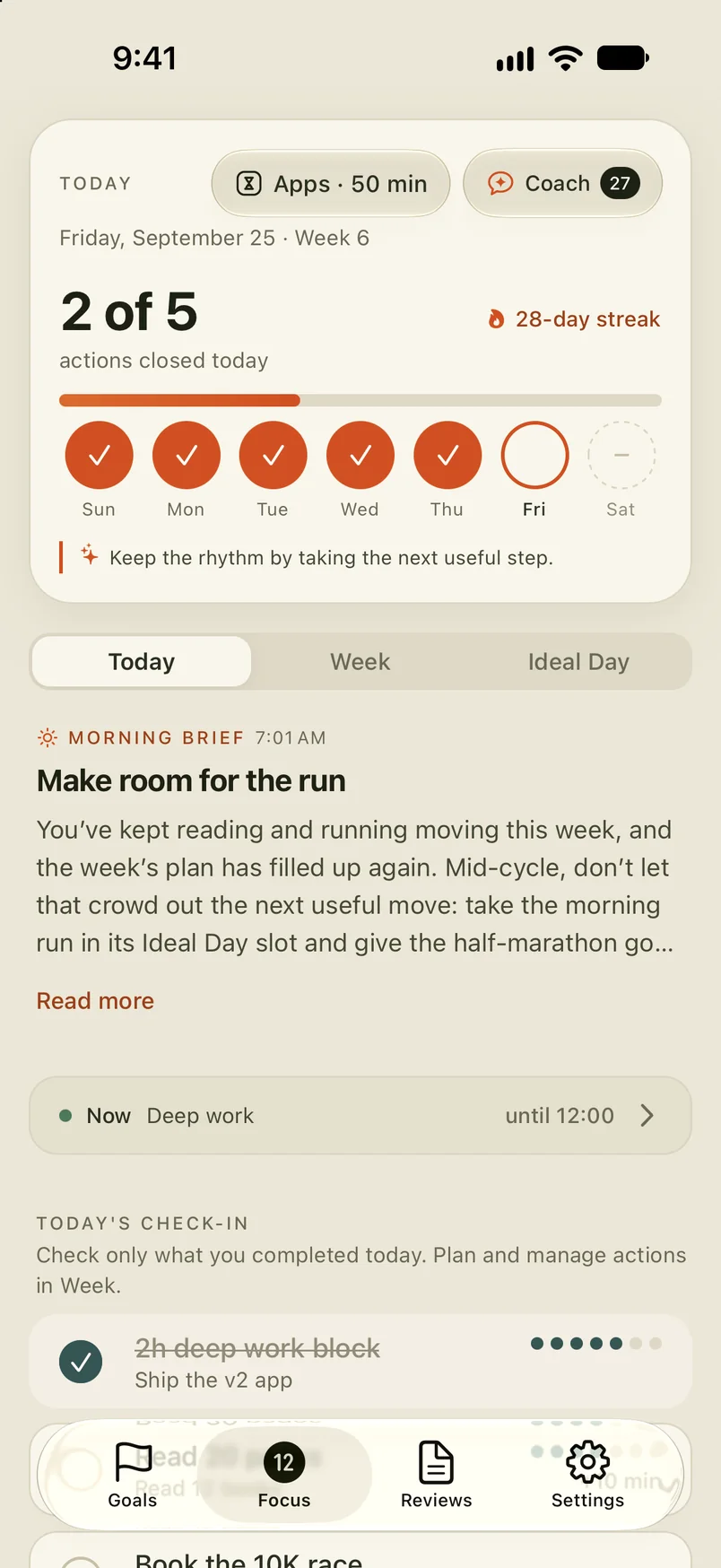
Every lock above is one you set and one you can undo. 12Focus gives the apps you pick a daily allowance, then adds minutes each time you tick off a study action you planned. On Android it blocks the apps you select (not categories or websites) and needs Usage Access and Accessibility permission. More on studying with 12Focus.
Apps today min
What people ask before they lock
Can I lock apps on Android without downloading anything?
Yes. Digital Wellbeing comes with Focus mode and App timers, and App pinning is in Security settings. Recent Samsung phones do the same job with a custom mode in Modes and Routines.
I can’t find Focus mode. Where is it?
Menus differ by phone. Search Settings for Focus mode or Digital Wellbeing. On a recent Samsung, create a mode in Modes and Routines and turn on Stay focused → Restrict app usage.
Can I stop myself from turning Focus mode off?
Not with Focus mode alone: it turns off with one tap, and Take a break unpauses apps for a while. App pinning with a PIN that someone else sets is harder to undo.
Does Focus mode stop notifications too?
Yes. While Focus mode is on, you can’t open the paused apps and you won’t get notifications from them.
What happens when an App timer runs out?
The app pauses for the rest of the day and the timer resets at midnight. To use it again before then, delete the timer.
How do I do this on iPhone?
iPhone uses Screen Time: Time Allowances and Screen Time Schedule on iOS 27. Here are the steps for iPhone.
Your best hours go to chapter 3
12Focus gives the apps you choose a daily allowance and adds minutes each time you finish a study action you planned, on Android and on iPhone.