 12Focus
How to lock in on studying
Make three decisions before you sit down: the one thing you will finish, when and where you start, and where your phone goes. Then study by testing yourself instead of rereading, and stop at the line you set.
Finals coming up? Start from the exam dates.
Updated
How do you lock in before studying?
You decide before you sit down, so nothing is left to decide once you start. “Lock in” is slang for focusing on one important thing without distraction; for studying, that comes down to three decisions:
- One thing you will finish. “Chapter 6, problems 1 to 12”, not “study chemistry”. You know when you are done.
- When and where you start. “At 7 pm, at the library desk, I open chapter 6.” Plans that spell out when, where and how had a medium-to-large effect on reaching goals across 94 tests (Gollwitzer and Sheeran, 2006).
- Where your phone goes. Another room, if you can. More on that below.
Where should your phone be?
In another room. In a 2017 study of nearly 800 smartphone users, people whose phone was in another room did notably better on the tests than people with it face down on the desk, and a little better than with it in a pocket or bag (Ward and colleagues, via UT Austin). The evidence is mixed: a 2022 replication found no difference (Ruiz Pardo and Minda), and a 2023 review of 22 studies found a small cost, clearest for memory (Böttger and colleagues). Another room costs you nothing, so take it.
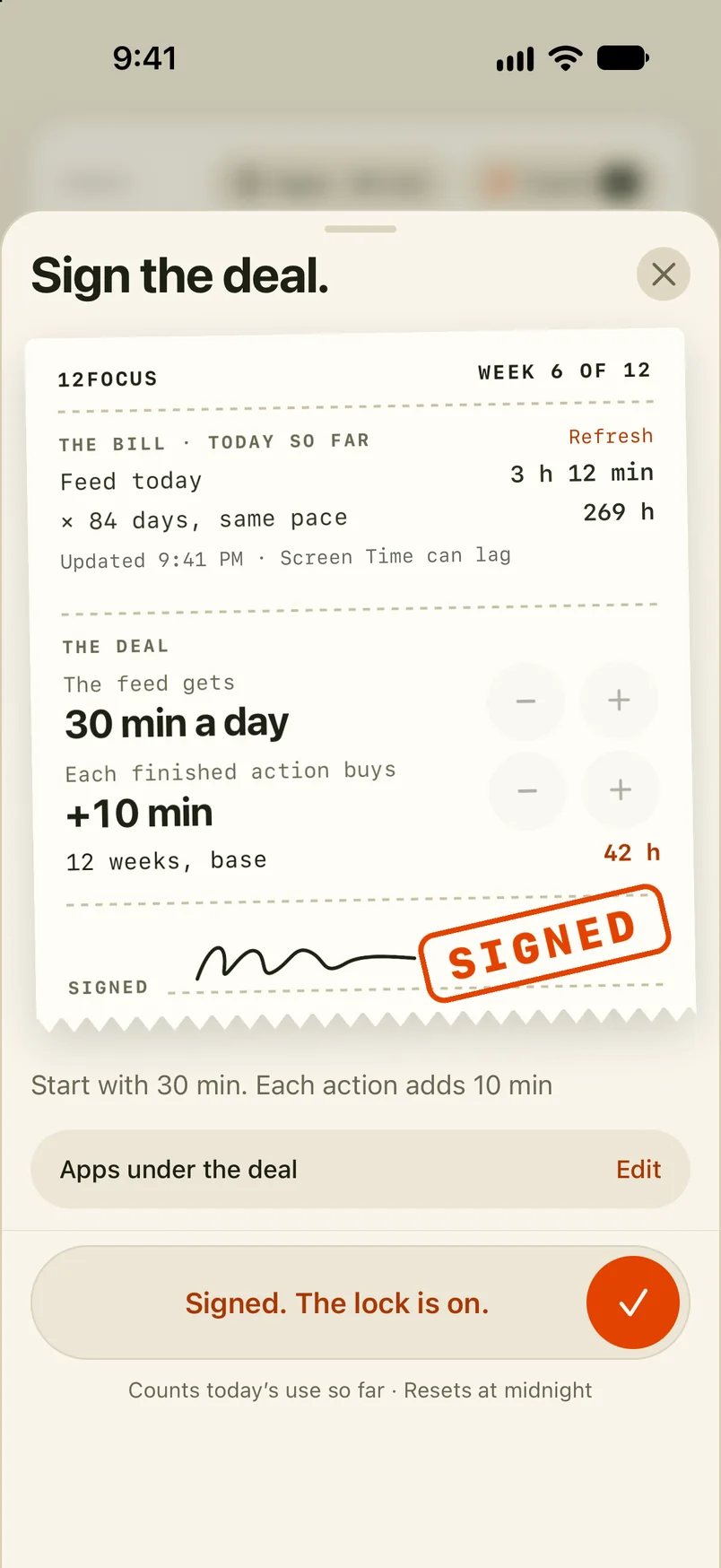
Need the phone nearby for a login code or the class chat? Limit the apps that pull you instead. On iPhone and Android, 12Focus gives the apps you choose a daily allowance, and each planned study action you finish adds minutes. The free route: lock apps on iPhone or Android with the settings you already have.
How do you lock in while studying?
Test yourself instead of rereading. A review of ten study techniques rated two as the most useful: practice testing and spreading study out over time. Rereading, highlighting and summarising were rated low (Dunlosky and colleagues, 2013).
- Read a section once, then close the book. Write down what you remember, or redo the problem without the worked example.
- Check, and circle what you missed. The circles are your plan for tomorrow.
- Set a timer you can finish. 25 or 50 minutes, with the break away from a screen.
- Stop at the line you set. Problem 12 done is a finished evening, even at 8:15.
How do you lock in for finals?
Work back from the exam dates. Give each subject several short visits spread over the days you have, rather than one long day before; spreading study out is the other technique the 2013 review rated most useful.
- List every exam with its date. Count the days to each one.
- Open each subject with a practice exam or a past paper. What you get wrong is the plan.
- Rotate the subjects. Each one comes back every two or three days.
- The day before an exam, only the circles. The mistakes you marked, nothing new.
For the days left to December 31, see how many days are left in the year.
What goes on a study plan?
Five lines, written before you start. Fill them in here, then copy them into your notes or onto a sticky note on the desk. What you type stays in your browser.
Can an app help you lock in?
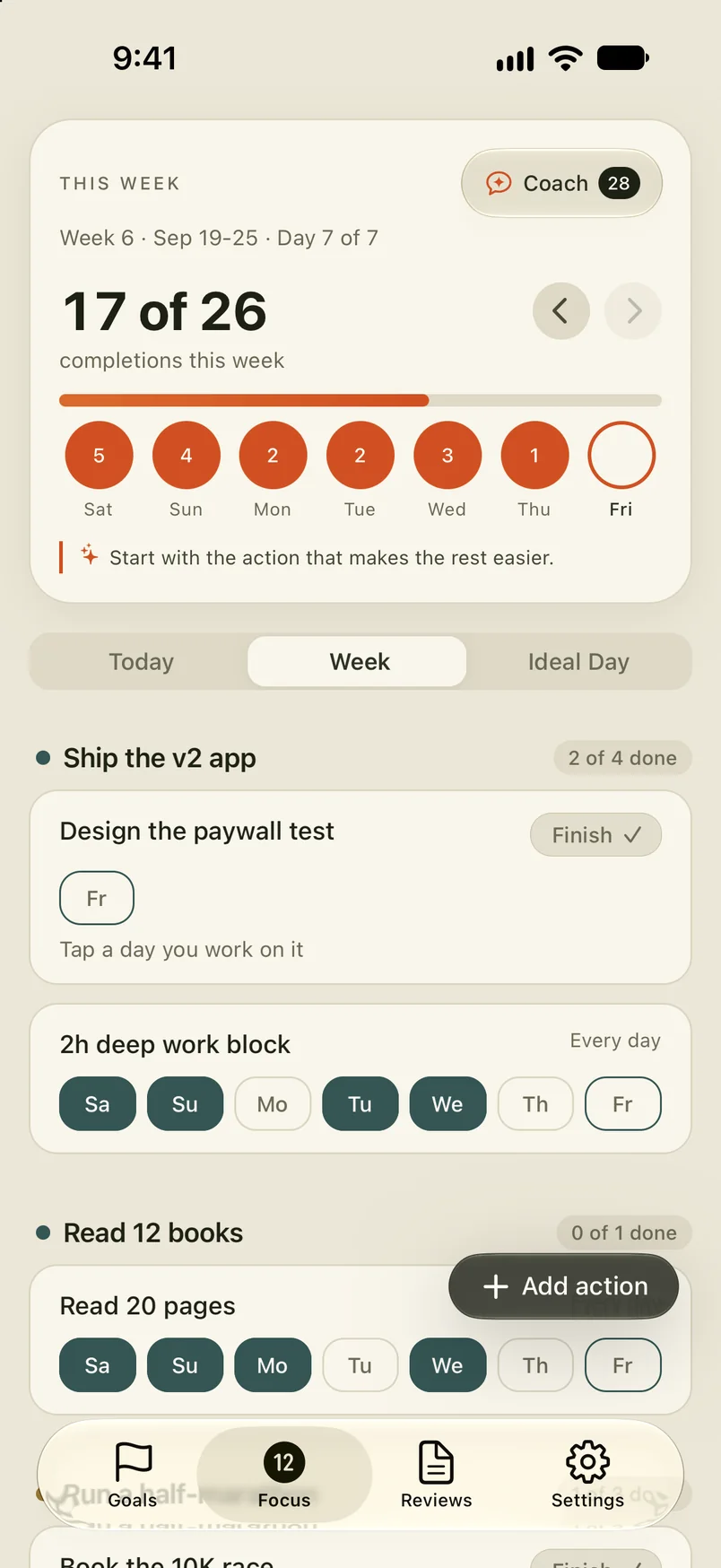
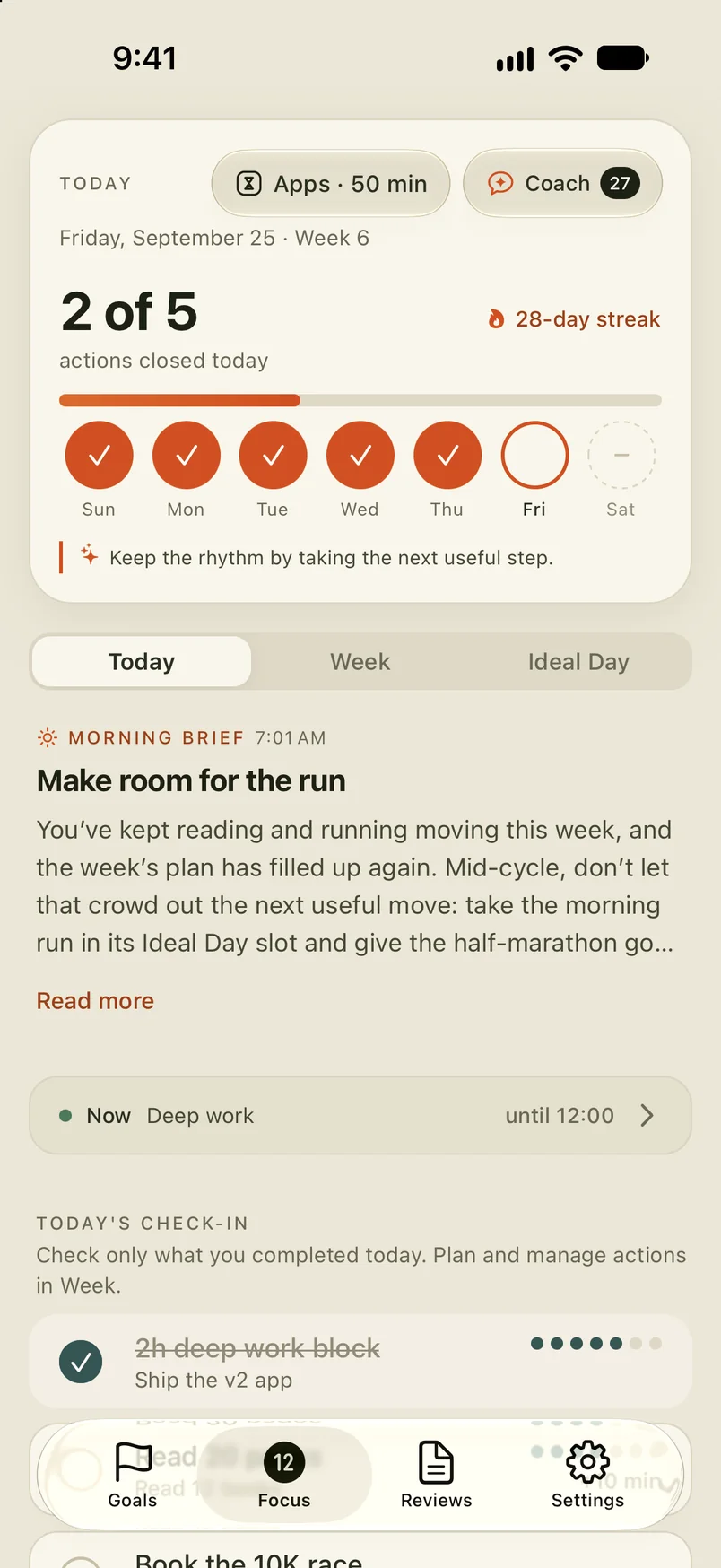
It can keep the phone rule for you. In 12Focus you plan the week’s study actions with days, and today’s show on one screen. The apps you choose get a daily allowance; each planned action you finish adds minutes, and when the allowance runs out those apps pause until midnight.
A goal for the term, like a grade in one class, fits a 12-week cycle: plan the twelve weeks first. Comparing tools? Here are ten app blockers for studying, starting with the free ones.
What students ask about locking in
How long should you study before a break?
There is no proven perfect length. Many students use the Pomodoro Technique, 25 minutes on and 5 off, or 50 and 10. Pick the length you can finish without picking up your phone, and spend the break away from a screen.
How do you lock in when you’re tired?
Make the plan smaller, not later. Spend ten minutes testing yourself on what you already covered, then decide whether to go on. If you are tired every evening, the plan does not fit the hours you have: move the action earlier, or to tomorrow, not to 1 a.m.
Is it too late to lock in for finals?
No. With a week left, start each subject with a practice exam or a past paper to find the gaps, then spend the days on the gaps instead of rereading everything.
How do you lock in for school all semester?
Plan once a week. Pick a few actions for each class, give each one a day, and check on the same day every week which ones got done. Change next week’s plan, not the goal. A weekly review in 10 minutes is enough.
Does a study partner help you lock in?
It can. In a meta-analysis of 138 studies, monitoring progress helped people reach their goals, and helped more when the progress was reported to others or written down (Harkin and colleagues, 2016). Tell one friend what you will finish tonight, and send them the finished page.
Is rereading your notes a waste of time?
Not a waste, but a weak use of it. A 2013 review of ten study techniques rated rereading low (Dunlosky and colleagues). Read once, then close the notes and write down what you remember.
Lock in before the next exam
On iPhone and Android, 12Focus gives your distracting apps a daily allowance, and each study action you finish adds minutes.