 12Focus
How to time block your day
Time blocking means giving each part of your day its own slot on the calendar before the day starts, so the work that matters has a time instead of waiting for one. Start with the one action that moves your goal, put it where you’re least interrupted, then fit meetings, messages and a buffer around it.
By four o’clock the inbox is clear, every call got its hour, and the work you care about hasn’t moved. Again.
Updated
What is time blocking?
A way of planning where every hour of the workday gets its job before the day begins. A to-do list waits for spare time. A time-blocked day says when each thing happens: 9:00 to 10:30 the proposal, 10:30 email, 14:00 the team call.
In a 2013 post, Cal Newport, the author of Deep Work, calls the method time blocking and describes spending ten to twenty minutes every evening drawing the next day in blocks on paper, with his to-do lists, calendar and weekly and quarterly plans open, and leaving room beside the blocks to correct them when the day goes another way.
How do you time block your day?
In six moves, in this order. The order matters: the goal goes in first, while the day is still empty.
- Start from the goal, not the inbox. Write the one action that would move it today: “draft the pricing page”, not “work on the launch”.
- Give it your best hours. The first block you control, before messages pile up. Long enough to finish it.
- Add what can’t move. Meetings, the commute, pickup, lunch.
- Batch the small things. Email and messages in two or three short blocks instead of all day.
- Size each block from last time. How long the same kind of work took before, not how long you hope it takes.
- Leave a buffer and an end. One open block for what goes wrong, and the time work stops.
A block is a plan that says when and where. In a meta-analysis of 94 independent tests, Gollwitzer and Sheeran (2006) found that plans spelling out when, where and how you will act had a medium-to-large effect on reaching goals.
What does a time-blocked day look like?
Here is a workday for someone with a full-time job and a side project in the evening. Two blocks of focused work, meetings and messages in their own slots, half an hour of buffer, and an end.
Half the day still belongs to other people. The difference is that the proposal got 9:00, not whatever was left after five.
| Time | Block |
|---|---|
| 6:45–7:30 | Run |
| 9:00–10:30 | Write the Q1 proposal |
| 10:30–11:00 | Email and messages |
| 11:00–12:30 | Meetings |
| 12:30–13:15 | Lunch, away from the desk |
| 13:15–14:45 | Client report |
| 14:45–15:15 | Buffer |
| 15:15–17:00 | Calls and reviews |
| 17:00–17:30 | Email, then plan tomorrow |
| 19:30–20:30 | Side project: pricing page |
How long should a time block be?
Long enough to finish one action, short enough that you’ll start it. Email and messages need 20 to 30 minutes. Writing, code, design or analysis needs more, and the honest number comes from last time.
Hopeful numbers are the usual mistake. In Buehler, Griffin and Ross (1994), people’s predictions of how long their own work would take were too optimistic across academic and everyday tasks. In one of their studies, the bias disappeared when people were asked to connect the prediction to how long similar work took before.
Where does deep work go in a time-blocked day?
Deep work is Newport’s name for focused work on something hard, without distraction: the writing, code, analysis or design that moves a goal. Give it the first block of the day you control. Once the inbox is open, other people decide what comes next.
Then make the block hard to break: calendar marked busy, notifications off, phone out of reach. If your thumb still finds the feed halfway through, limit those apps during work hours.
What if the day breaks your blocks?
It will. A call runs over, a client needs an answer now. Don’t throw the plan out: redraw what’s left of the day. Newport leaves room beside his blocks for exactly this.
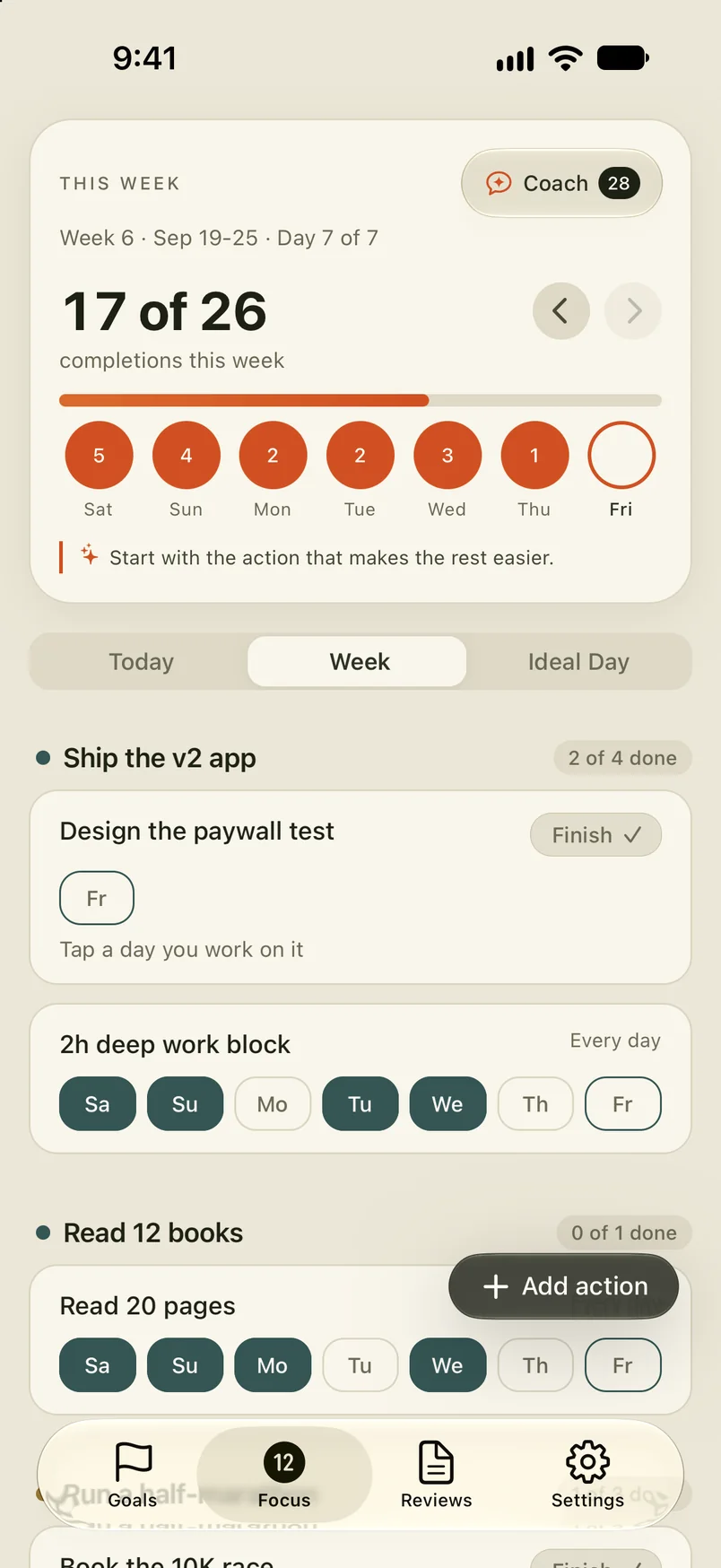
A goal block that got eaten moves to the buffer or to tomorrow’s first block. It doesn’t disappear. At the end of the week, count which goal blocks held. If the same one breaks every Tuesday, move it, and the plan gets more honest each week. The ten-minute weekly review walks through it.
What goes in a time blocking template?
Seven lines for tomorrow. Fill them in here, then copy them into your calendar or notes. What you type stays in your browser.
Need the action first? Start from a quarterly goal and its weekly action.
Is there an app that time blocks your day?
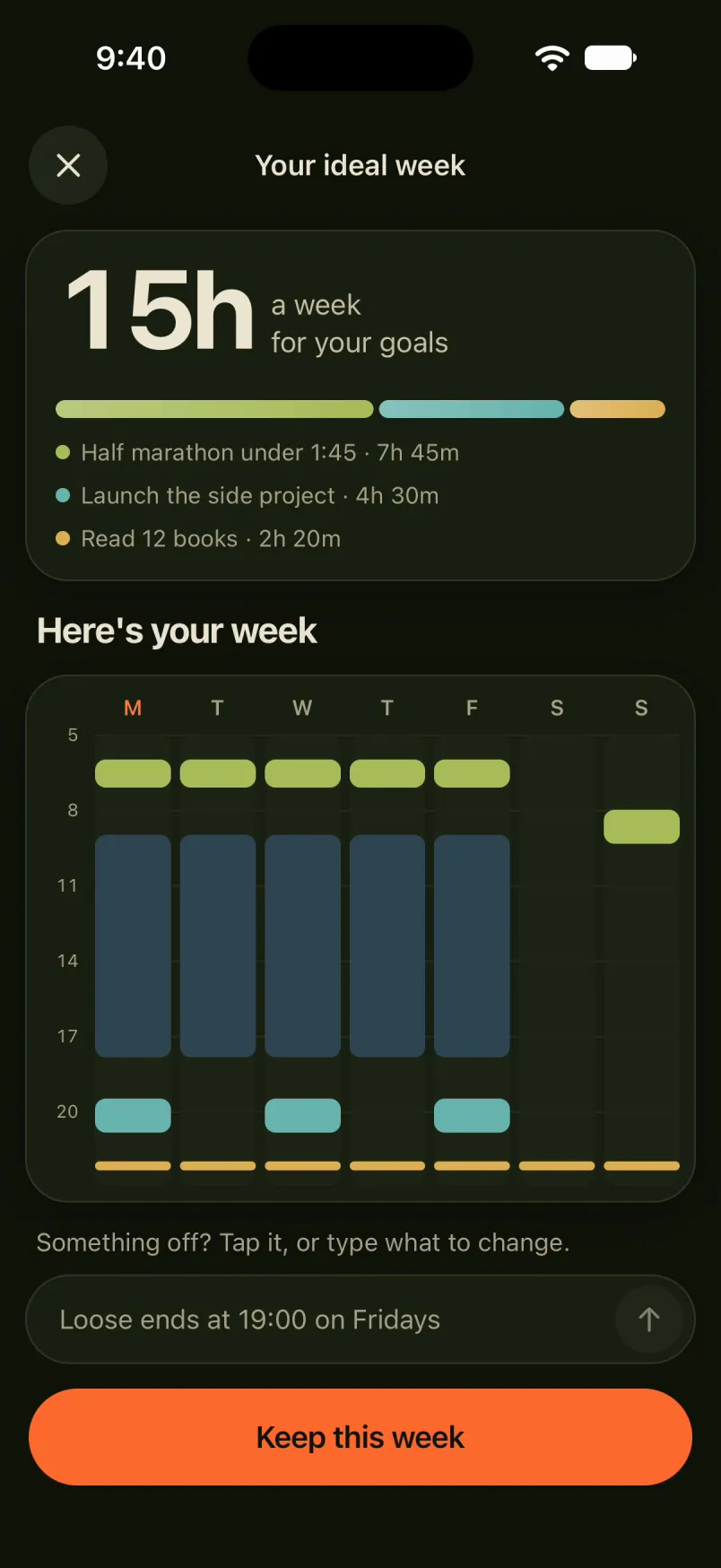
Blocks on paper fall apart the first time nobody looks at them after ten. 12Focus starts from your goals instead of an empty calendar. Tell it your week the way you’d tell a friend, “up at 5:30, work 9 to 6, side project 7:30 to 9 on Mon, Wed and Fri”, and it lays the week out in blocks and shows how many hours a week your goals get.
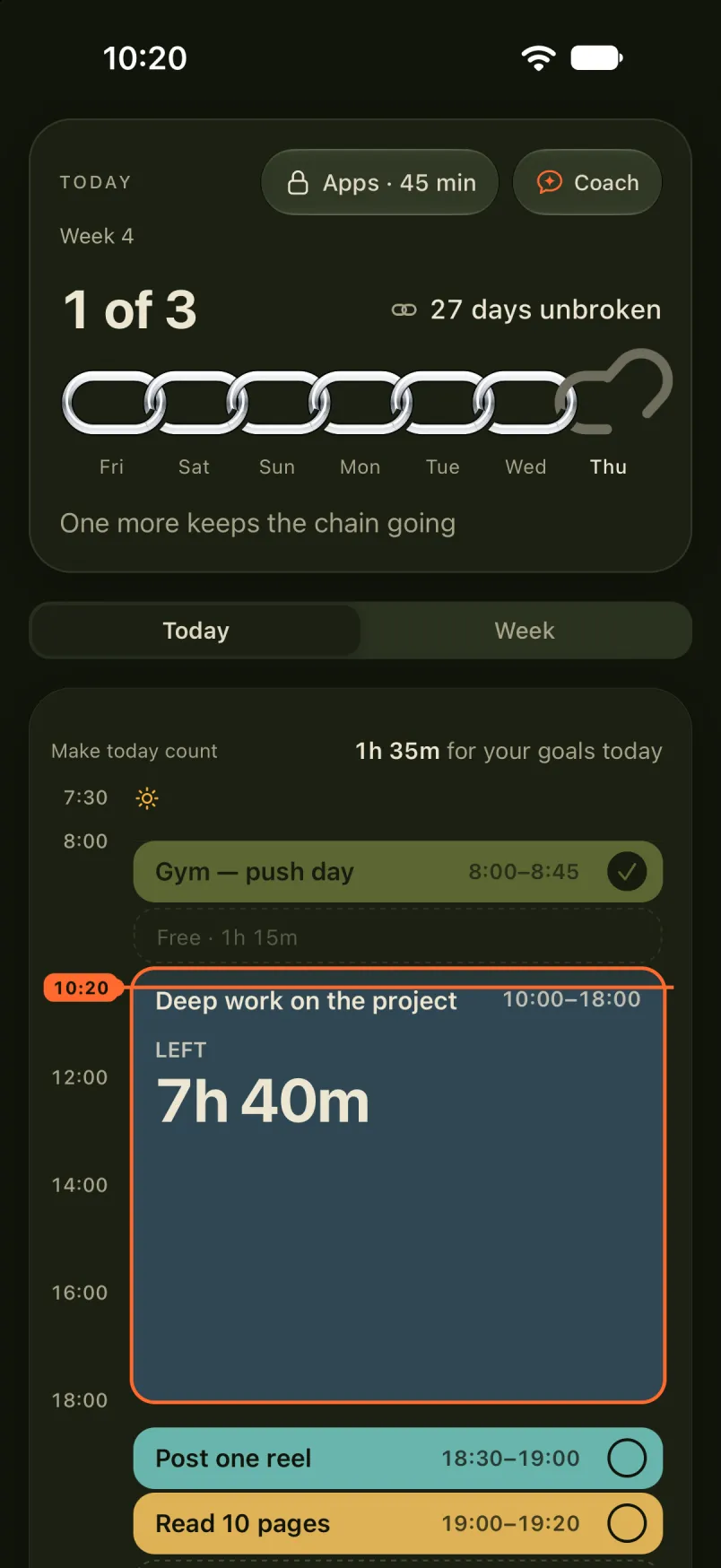
Today then shows the day as a timeline: the block you’re in, the time left in it, and each goal’s action to tick off in its own block. On iPhone and Android, you can also give the apps you choose a daily allowance and set how many minutes each planned action you finish adds.
What people ask about time blocking
What is the difference between time blocking and timeboxing?
Time blocking decides when work happens: 9:00 to 10:30 is for the proposal. Timeboxing caps how long one piece of work may take, and you stop when the time is up. Most time-blocked days use both: the block is the box.
Does time blocking work?
There is little research on time blocking by that name. The closest evidence is on plans that say when and where you will act: across 94 tests, Gollwitzer and Sheeran (2006) found a medium-to-large effect on reaching goals. A block on the calendar is that kind of plan.
How do you time block a day full of meetings?
Start with one block. Find a 60-minute gap this week, mark it busy for your goal, and keep the same slot next week. Put messages in the short gaps between calls, not the long ones.
What do you do when something urgent breaks a block?
Handle it, then redraw what is left of the day. Move the goal block into your buffer or to tomorrow’s first block. Don’t delete it.
Can you time block in Google Calendar?
Yes. Make an event for each block and give goal blocks their own color, so a glance shows how much of the week is yours. On some work and school accounts, the Focus time event can mute Chat notifications and decline meetings for you.
Should you time block the night before?
Cal Newport does: ten to twenty minutes every evening, with his weekly and quarterly plans open. Give the goal its blocks for the whole week on the weekend, then each evening fit tomorrow around them.
Give your goal the first block
12Focus holds up to three goals for a 12-week cycle, lays your week out in blocks, and gives each goal’s action its time in the day.